

What starts a run
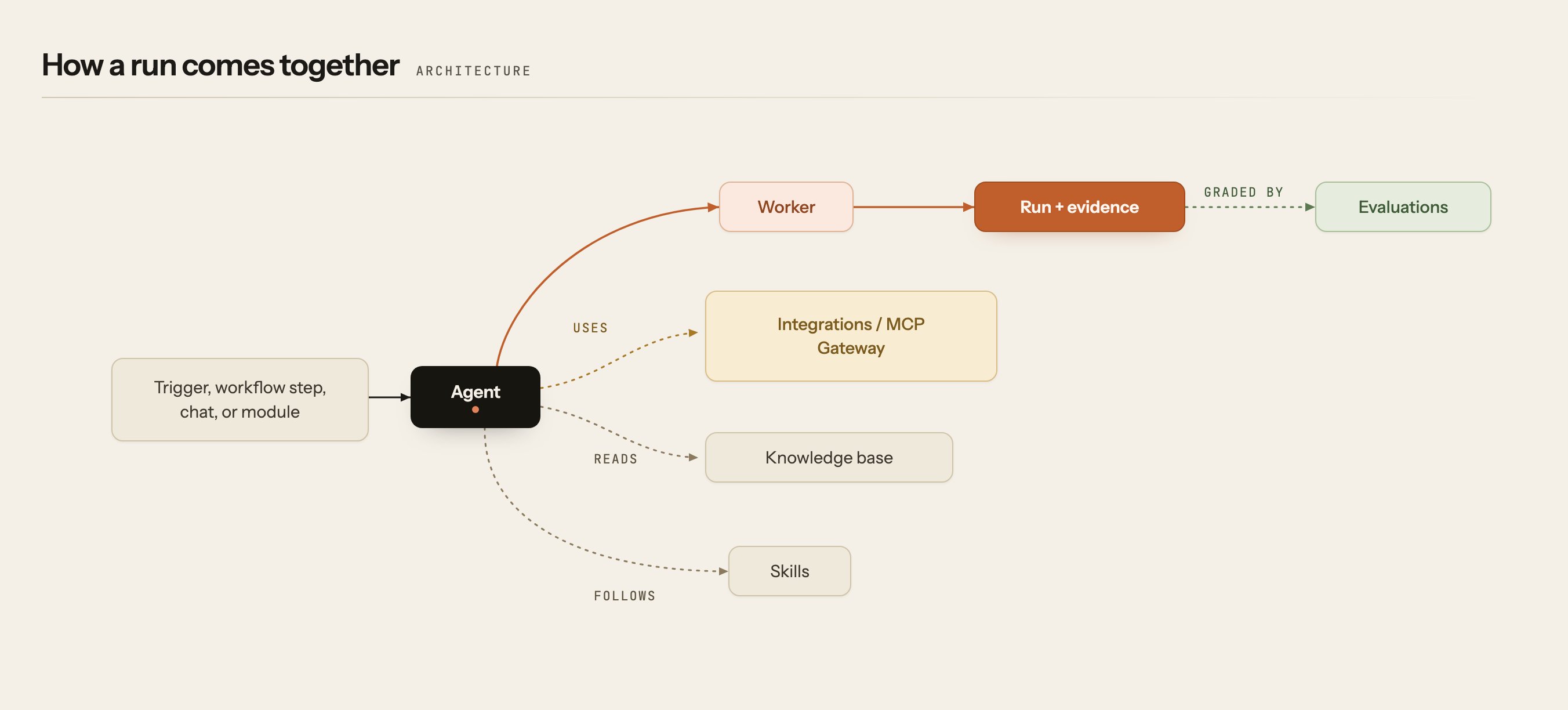
A run begins when something asks an agent to work. That can be a person, a schedule, an external system, or a message in Slack.
A workflow step, a module, or another agent can also start a run.
The agent
The agent is what you build and configure. It carries its instructions, the tools it may use, and the knowledge you give it. When it runs, a process called a worker does the executing.What the agent reaches
To do anything useful, an agent needs access to your systems. Every connection is one of two kinds, and in both the credentials stay with the platform, never with the agent.What the run leaves behind
When the run finishes you have a complete record of it, and the means to judge whether it was any good and what it cost.Workflows and modules
Most operations work takes more than one agent, and it has a shape: first correlate the alerts, then investigate, then propose a fix, then ask a person before applying it. A workflow is that sequence of steps, with agents assigned to each. A module packages Komodor’s expertise in one operational domain, such as incident management or Kubernetes cost, as the workflows and specialist agents for that domain. You enable a module; its workflows do the work. For example, the module Incident management & troubleshooting contains the workflow Production Alert Investigation. That workflow has four steps: source, dedupe and correlate, investigation, remediation. The investigation step is handled by the Datadog, Kubernetes and AWS investigators; the remediation step proposes a fix and waits for a person to approve it. When you open a module you see its workflows; when you open a workflow you see its steps and which agents handle each.Who may do what
Everything above happens inside an account, under permissions that apply to people and agents alike.Next steps
Architecture
How the control plane, SDK and workers fit together.
Modules & workflows
The module catalog, and how modules contain workflows.
Build an agent
Author your own or deploy one from the catalog.
Runs & evidence
What a run records and how to read it.